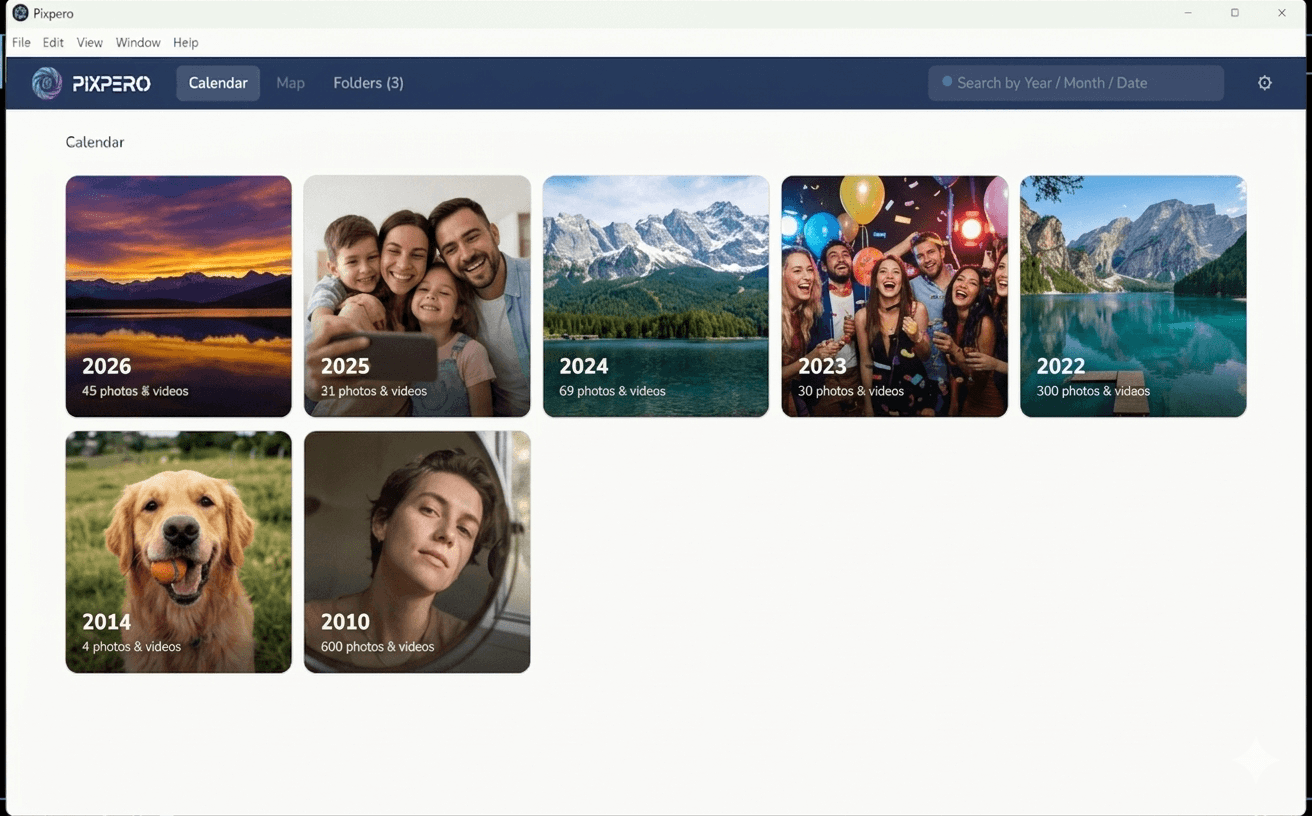
Pixpero is a warm, personal photo and video organizer for Windows. Browse your entire library the way memories actually live in your head — by year, by month, by day.
The modern replacement for Sony Picture Motion Browser
One-time purchase. 5 machines. 30-day money-back guarantee.
Miss Sony PMB? You'll love Pixpero.
When Sony discontinued Picture Motion Browser in 2014, millions of people lost the best photo organizer ever made. Pixpero brings it back — and makes it better.
See how Pixpero compares →Pixpero reads the date each photo was taken and quietly organises them so you can relive any specific day in seconds.
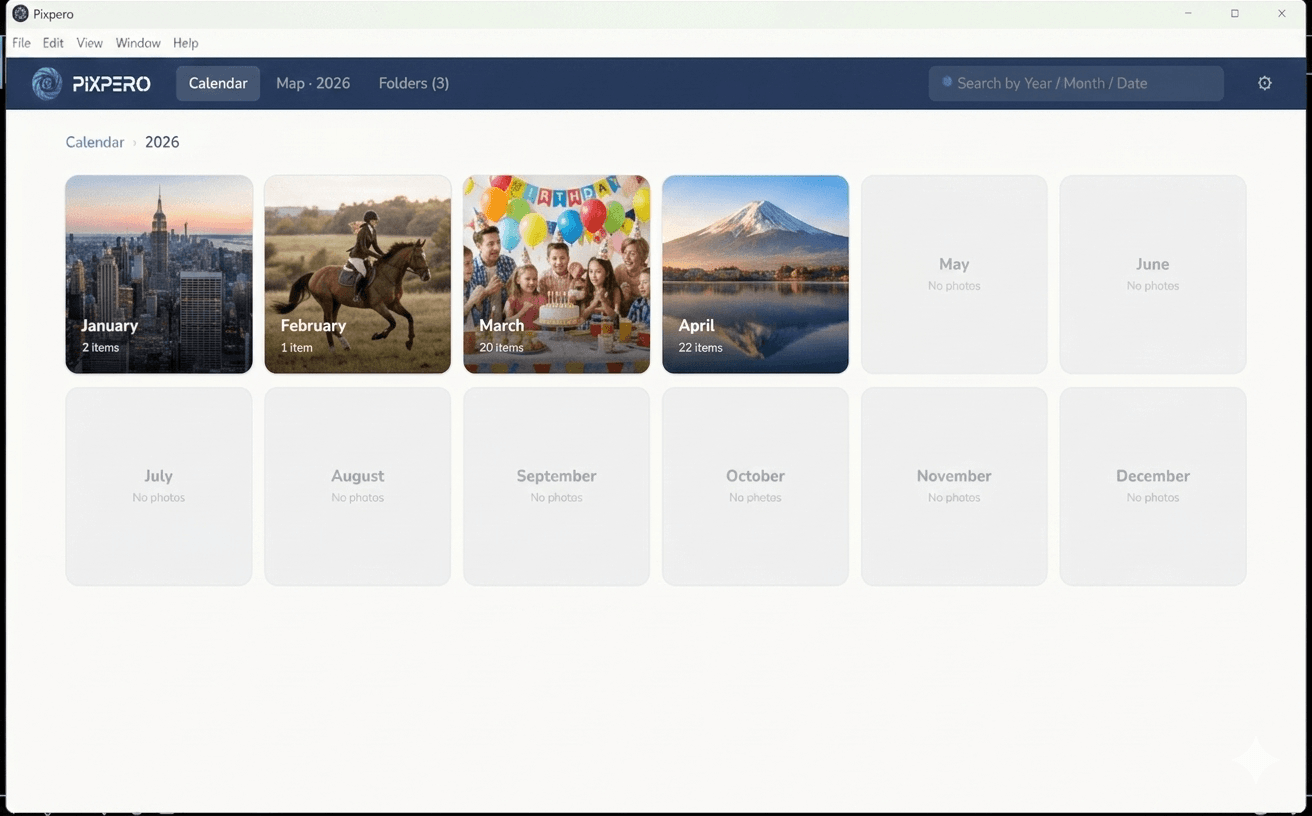
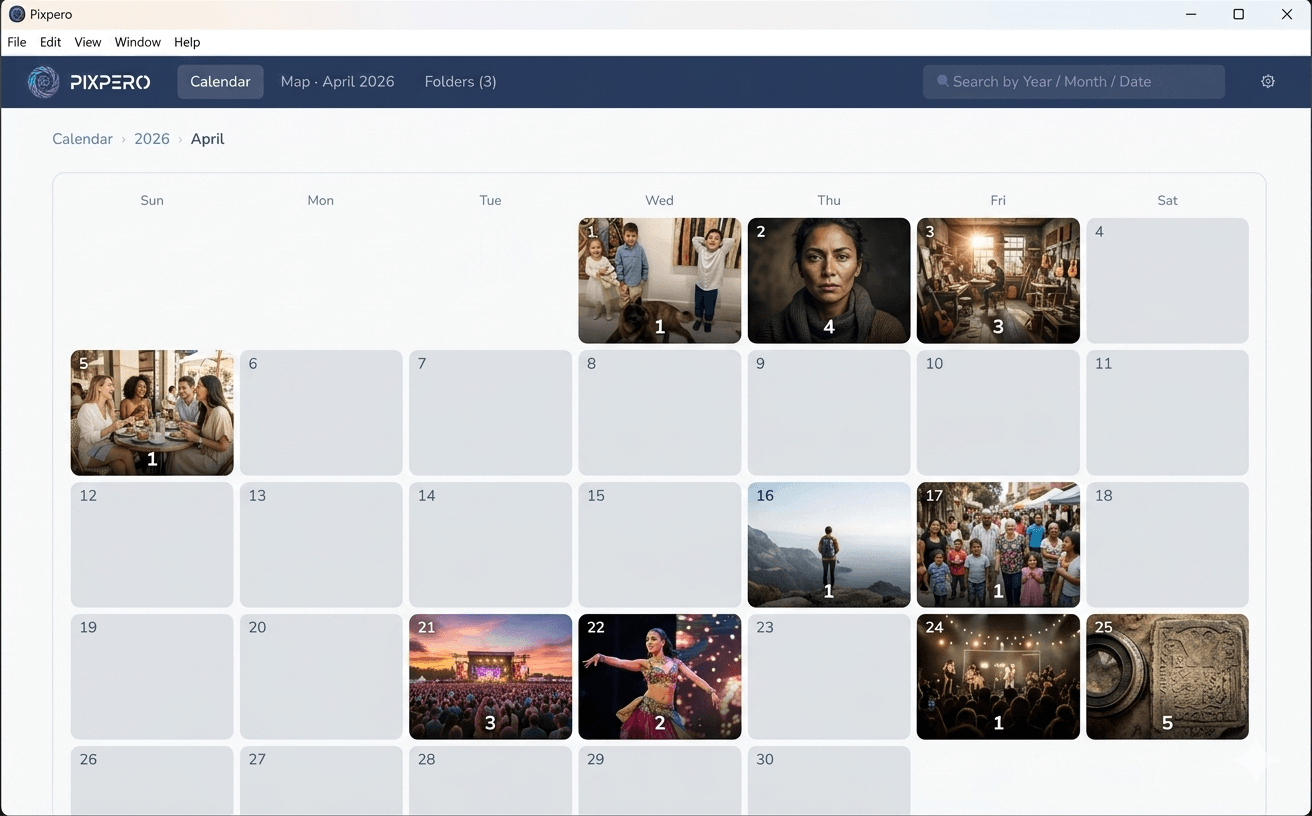
Drill from a year of memories into a month, into a single day. Each cell shows a thumbnail of the photo taken there.
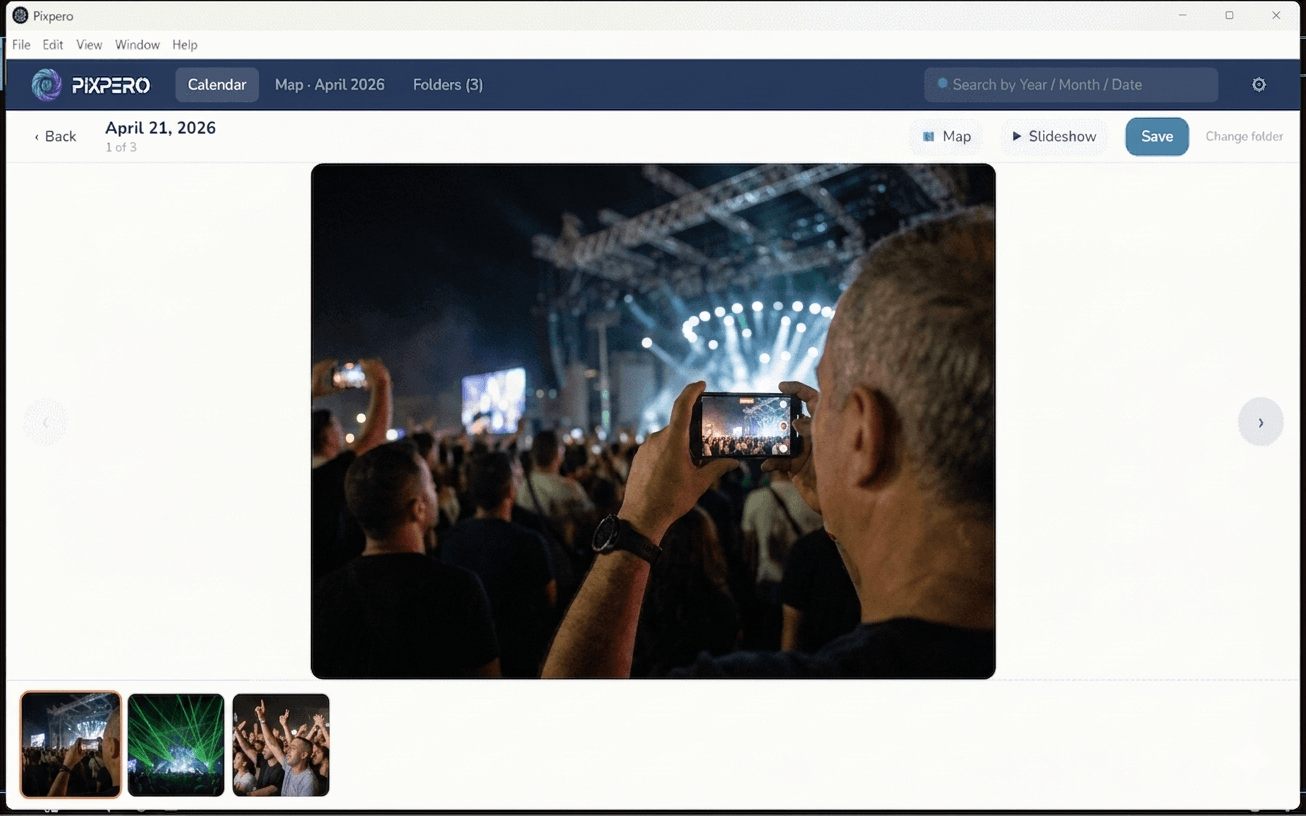
Large center photo. Scrollable thumbnail strip. Arrow-key navigation. Save the original to any folder with one click.
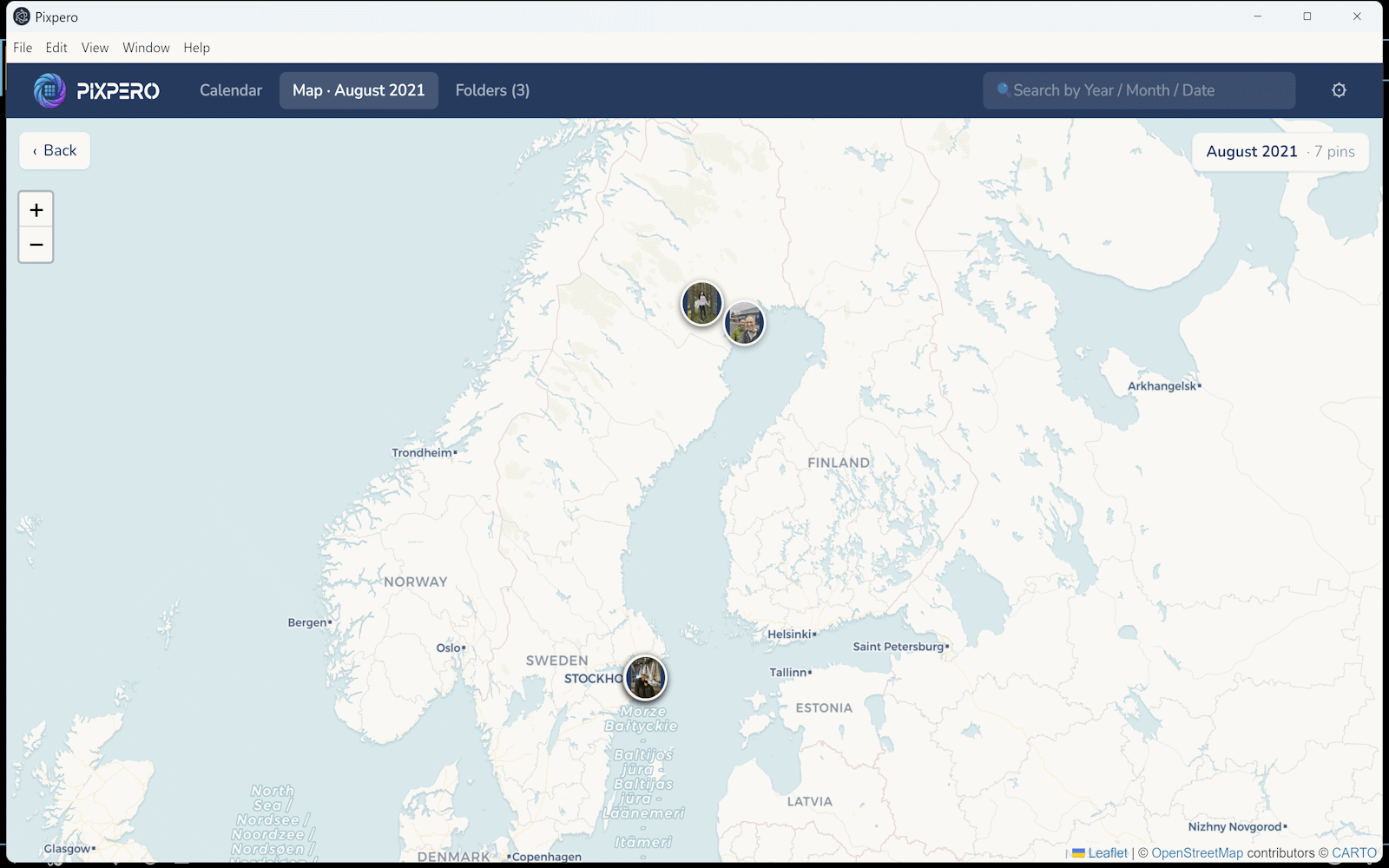
Photos with GPS appear as thumbnail pins on a world map. Filter to a year, a month, or a single day.
Fullscreen auto-advance with adjustable speed. Videos play in full, then the show moves on automatically.
Find any photo by year (2024), month (2024-04),
specific date, camera model, or filename.
A warm cream by day. A deep navy by night. Toggle in Settings, remembered forever.
JPEG, PNG, HEIC (iPhone), TIFF, RAW (Canon, Nikon, Sony, DNG), MP4, MOV, MKV — and more.
Videos appear in the calendar with auto-extracted thumbnails. Click any one to play in-app with full controls.
Your photos never leave your computer. No cloud, no upload, no account. Pixpero only reads them on disk.
Were you a Sony PMB user? So were we. When Sony discontinued it in 2014, millions of people lost the best photo organizer ever made. Pixpero brings it back — and makes it better.
Browse by year, month, and day — exactly like PMB. The familiar mental model you loved, rebuilt for modern Windows.
Photos with GPS data appear as pins on a world map — a feature PMB users always loved. Filter by year, month, or day.
Fullscreen auto-advance slideshow with photos and videos — the PMB feature you never wanted to lose.
Like PMB, Pixpero keeps everything on your computer. No cloud, no subscription, no account. Your photos stay yours.
Pay once. Use forever. No subscription, no recurring charges.
Secure checkout by Stripe. Your license arrives by email instantly.
Want to try first? Download the 14-day free trial.
Free to try for 14 days. No account, no credit card. Just photos.
macOS and Linux builds are on the roadmap.
Never. Pixpero is fully offline. It reads your photos from your hard drive, makes small thumbnails locally, and stores everything in a private database in your user folder. Nothing is uploaded anywhere.
Yes. Pixpero supports JPEG, PNG, HEIC/HEIF (iPhone), TIFF, BMP, WebP, GIF, and the major RAW formats (Canon CR2, Nikon NEF, Sony ARW, Adobe DNG).
Tested cleanly with 100,000+ photos. Initial scan takes a few minutes for a large library; afterwards everything is instant.
30 days, no questions asked. Email pixpero@gmail.com from the address you bought with and you'll be refunded within a couple of days.
Pixpero is currently going through code-signing reputation buildup with Microsoft. Click "More info" then "Run anyway" — the installer is safe and verified by Stripe for purchasers. The warning will disappear in the coming weeks as more people install.
On the roadmap. The codebase is Electron, so a Mac build is straightforward — we'll ship it once Windows v1 is stable.
Yes — Pixpero was directly inspired by PMB and designed specifically for former PMB users. It shares the same core idea: browse your entire photo library by year, month, and day using a calendar view. It also includes map view and slideshow mode, two other PMB favourites. Everything runs locally on your computer, no cloud required — just like PMB did.
Absolutely. PlayMemories Home was the successor to PMB and kept the same calendar-based approach. Pixpero follows the same philosophy — date-first browsing, map view, and slideshow — while modernising the interface and adding support for all your photos and videos, not just Sony camera files.